
As a Typescript developer and every day Visual Studio Code user, one of your best friends is the Problems panel. It shows you all the errors and warnings for the files you are opening. But what you really want is a “global view” of all the errors and warnings in your project. So you can fix them all at once.
Since in VSCode v1.85, now there is an experimental option to show all the errors and warnings in your project. You can enable it by adding the following line to your settings.json file:
'typescript.tsserver.experimental.enableProjectDiagnostics': trueAnd it might work by immediately but there is a temporary fix for it:
- Open an arbitrary Typescript file in your project.
- Restart the TS Server by using
>TypeScript: Restart TS Serverfrom the command palette.
Wola! Now you can see all the errors and warnings in your project in the Problems panel not matter the file is opened or not.
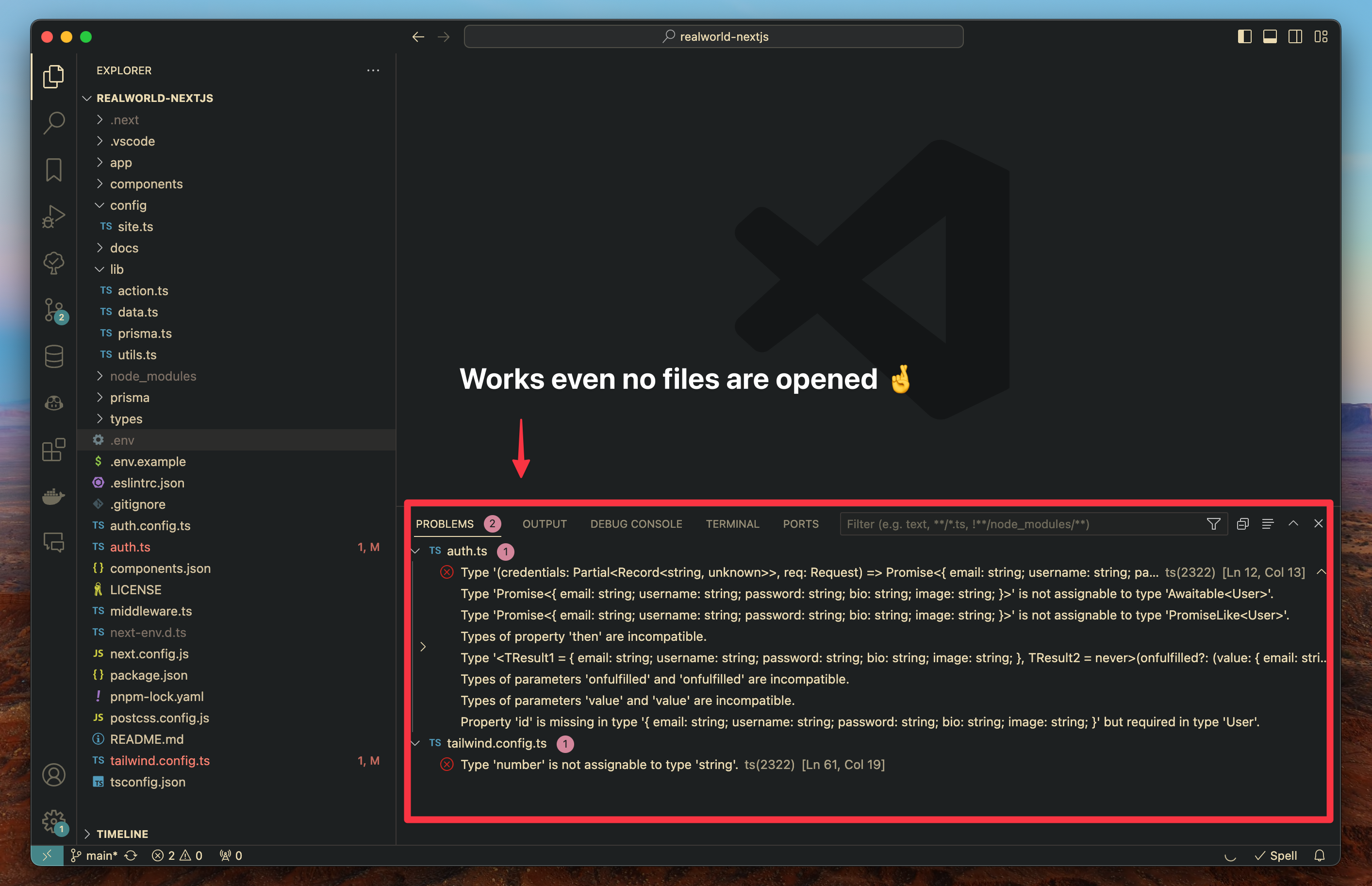
Really wish this feature will be stable soon. :crossed_fingers: